A console for Claude Code
See which agent is waiting on you.
Kiryn lists every Claude Code session on your machine and shows what each one is doing. When a session stops to ask you something, Kiryn marks it so it doesn't sit there unanswered. It runs entirely on your computer.
00The console
What's in the console
The Fleet board is the main screen. The other stations cover planning, design, writing and dependency security.
- FleetEvery Claude Code session on the machine, with the ones waiting on you marked.see it ↓
- VoiceTalk to Kiryn or dictate into a session. Speech is processed on your machine.see it ↓
- PlansMarkdown plans with acceptance criteria, checked before anything is built.see it ↓
- AcceptShows which acceptance criteria were actually run and which weren't.see it ↓
- QueueRuns a list of plans one after another, overnight if you want.see it ↓
- DesignHTML mockups rendered in the console, with an agent to revise them.see it ↓
- WritingDrafts checked against a prose style guide.see it ↓
- SecurityDependabot alerts and npm audit results for a repository, on one screen.see it ↓
01The fleet
The Fleet board
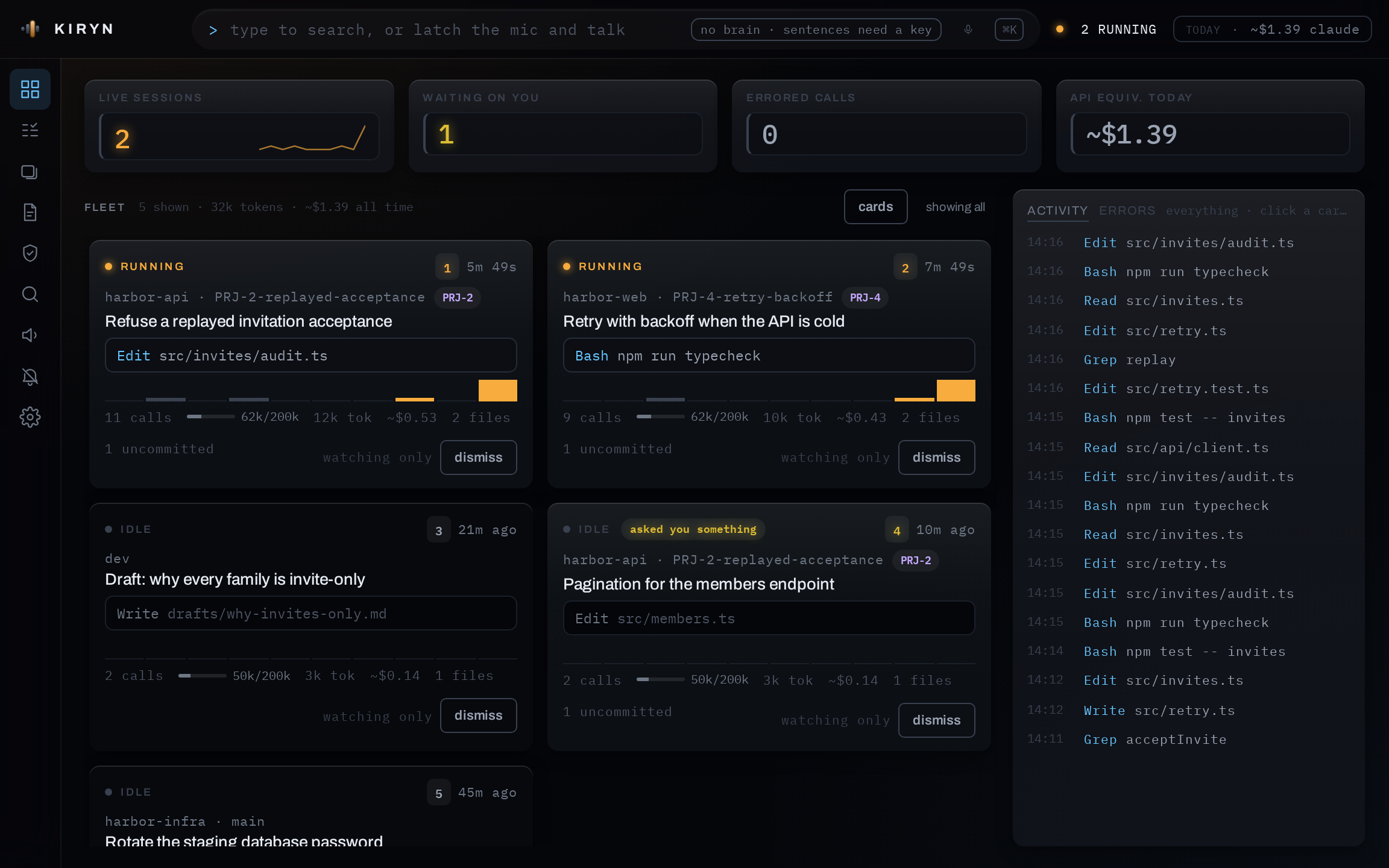
Each Claude Code session on your machine gets a numbered card. Kiryn reads the transcripts Claude Code already writes, so sessions you started in your own terminal show up too. A session that has stopped to ask you something is marked on its card. From the board you can open a session and type into it, and any session can be attached to a full terminal window.
- repo · branch
- which checkout it's in
- tool
- what it's running this second
- context
- how full its window is
- asked you something
- the one that needs you
02How it behaves
How Kiryn handles input
Kiryn opens terminals and passes your input to them, and Claude Code does the actual work. These are the rules for what Kiryn will send, and when.
- 01
Speech goes where you point it
There are two buttons: one to talk to Kiryn and one to talk to the session in front of you. When neither is on, Kiryn ignores the microphone. A voiceprint also filters out other people in the room before anything is transcribed.
- 02
Dictation is typed, not sent
What you say appears in the session's input line as you speak, and nothing is sent until you say "send it" or press Enter. If a model wrote a command, Kiryn shows you the exact text and waits for you to approve it.
- 03
Ambiguous requests get a question
If two tasks match what you said, Kiryn asks which one you meant. A command set up for one project won't run in another.
- 04
Menus become buttons
When a session shows a numbered menu, Kiryn reads the options and shows them as buttons. You can click one or say it.
- 05
Everything sent is logged
Every line Kiryn sends to a session is written to .kiryn/audit.log, along with who asked for it.
03Voice and keyboard
Talk to it or type
Speech recognition and the spoken replies both run on your machine, and no audio leaves it. Hold space to talk at any time. The microphone switches itself off after three minutes of silence.
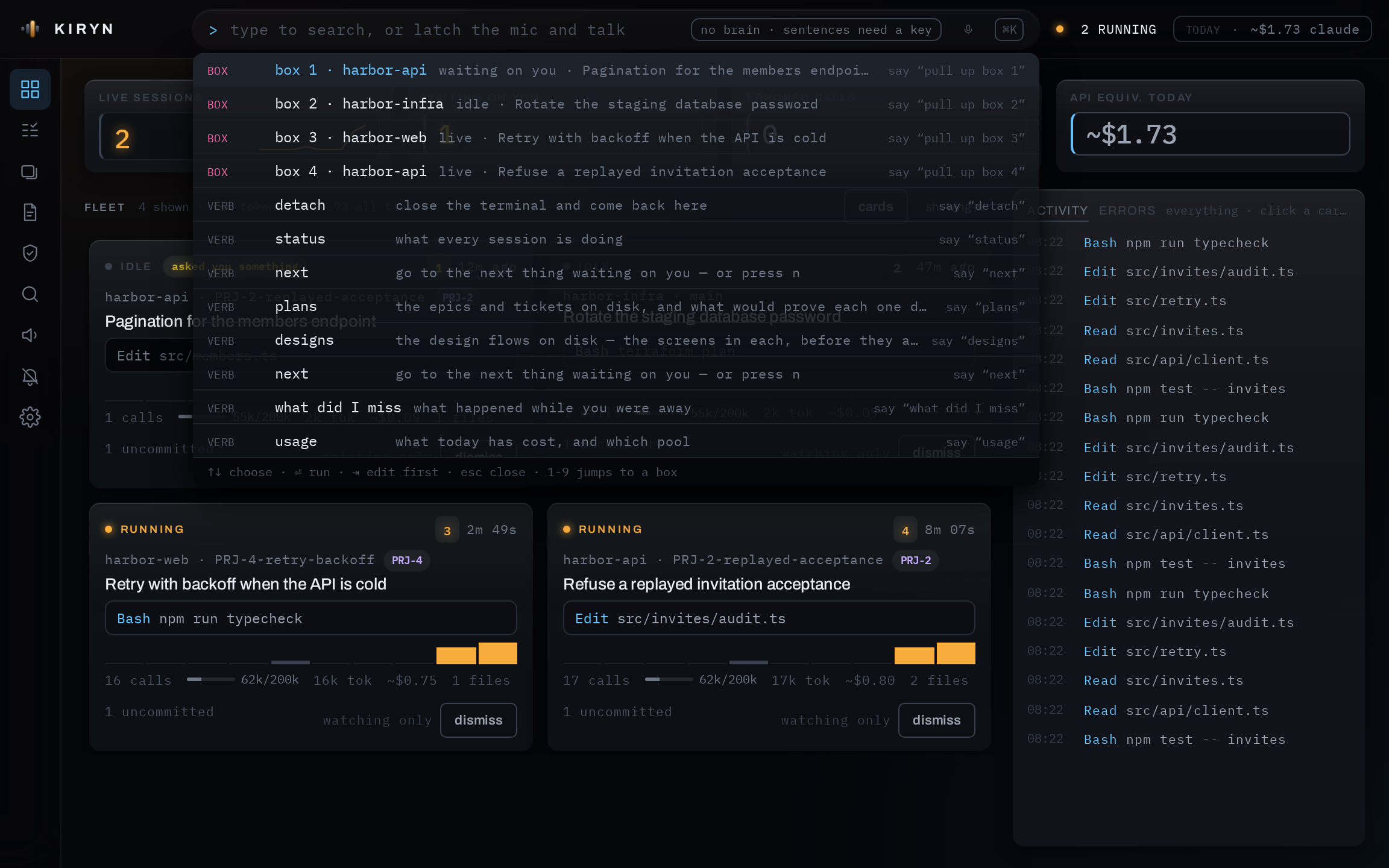
You don't need a microphone at all. Everything voice can do is also in the command bar, which lists the spoken version of each command next to it.
04On your phone
Your sessions, from anywhere
Turn on phone access and Kiryn joins your own Tailscale network as a device of its own. Your phone reaches it on Wi-Fi or on cellular, and nothing on your computer is opened to the internet.
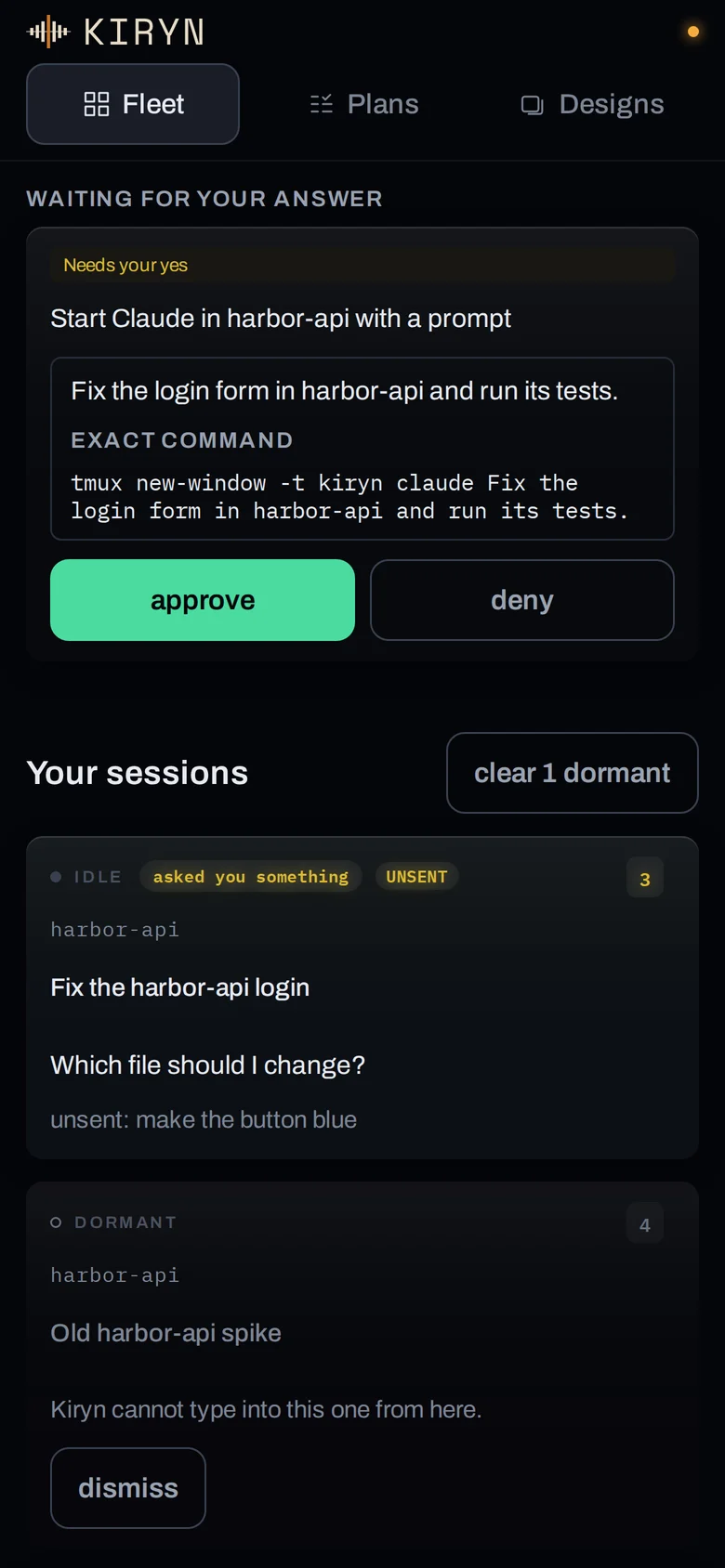
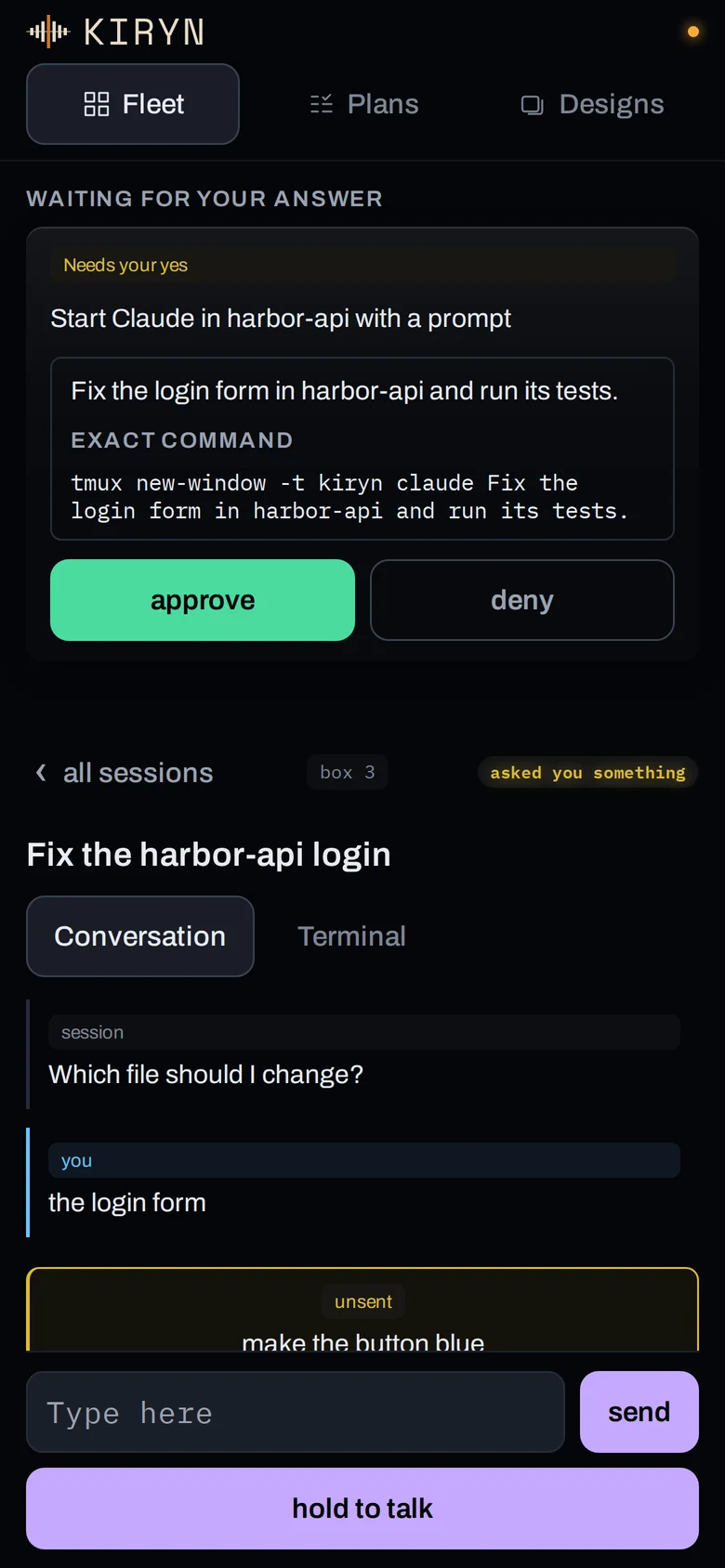
Open a box to read the conversation or watch its terminal, then type or dictate into it. You can approve what is waiting, start sessions, and comment on, approve and build plans and designs. Anything the phone asks to start waits for your yes, and the request says what it will do before you give it.
A Phone button on the computer walks you through setup one step at a time, from the Tailscale account to scanning a code and unlocking with Face ID. The phone locks again after five minutes away.
What it needs
- A free Tailscale account. The Personal plan covers it.
- The Tailscale app on your phone, signed in to the same account.
- iOS 16.4 or newer, or a current Android browser.
- On a Mac, macOS 13 or newer.
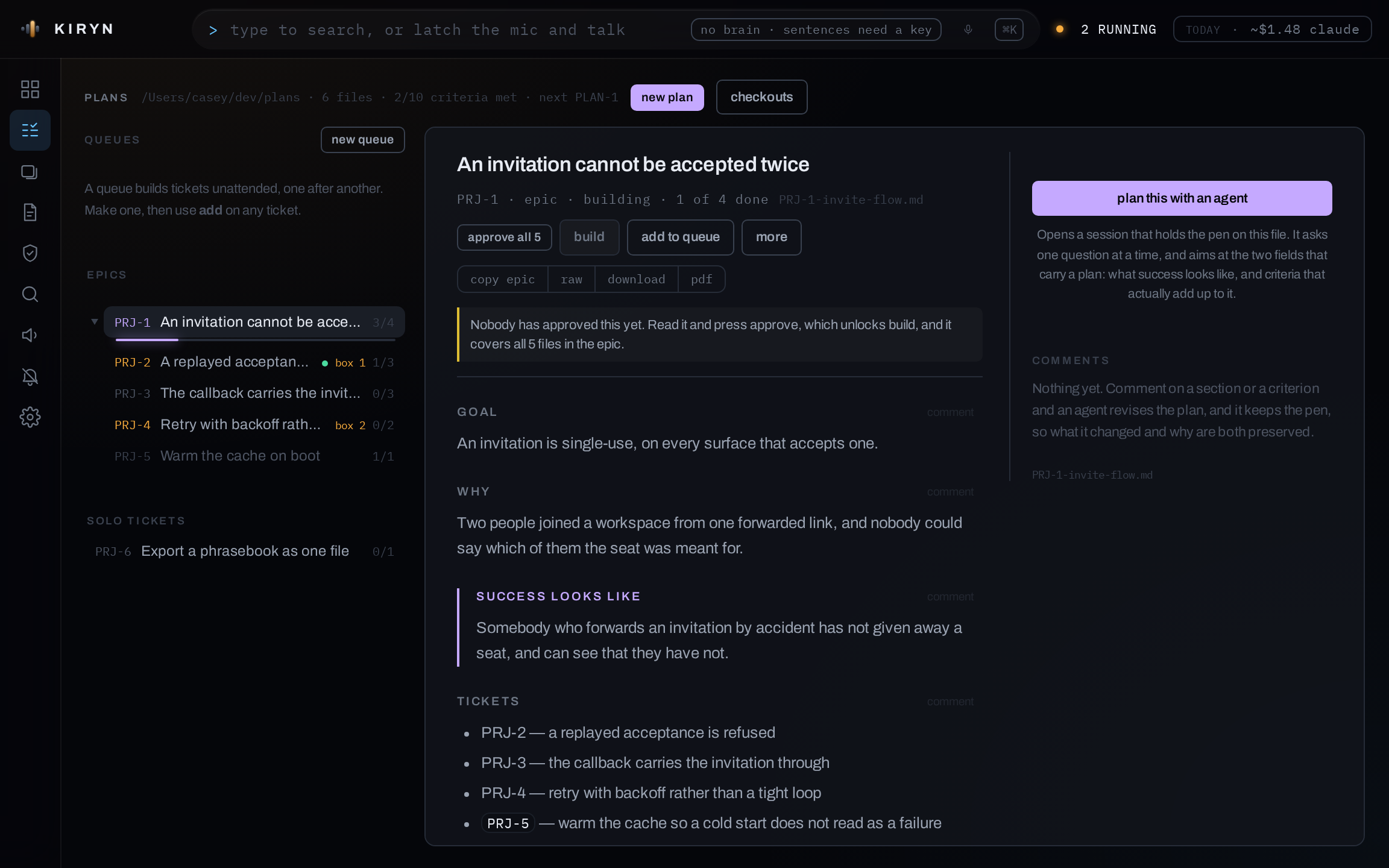
05Plans
From a plan to a pull request.
The plan station takes a markdown plan through to a pull request. The commands it runs are ordinary Claude Code skills written in markdown, so they also work without Kiryn.
Plan
Plans are markdown files kept in one folder outside your repositories, since a plan often covers more than one. Kiryn renders and lints them.
Prove
Each acceptance criterion names the command that checks it. Kiryn runs those commands before work starts and flags any that already pass, since they can't show the change did anything.
Dispatch
An agent estimates the size of the ticket and picks the command to run it. Each run gets its own git worktree, so several can run in one repository.
Build
The claude CLI does the work. Tests are written by an agent that can't see the implementation, then the project's own checks run and a separate process reviews the diff.
Accept
Each criterion is shown next to what the transcript says was actually run. Kiryn doesn't mark tickets done. You do.
Queue
Run a list of plans in order
Two runs go at once across the console, one per repository, each in its own checkout. If a run fails, the queue stops and records the reason.
Build or ship
You choose how far a run goes
Build leaves commits on a local branch. Ship also pushes the branch and opens a pull request.
Review
A different model reviews the work
Each build is reviewed in a new session on a different model, not by the agent that wrote the code.
06Design
Reviewing designs
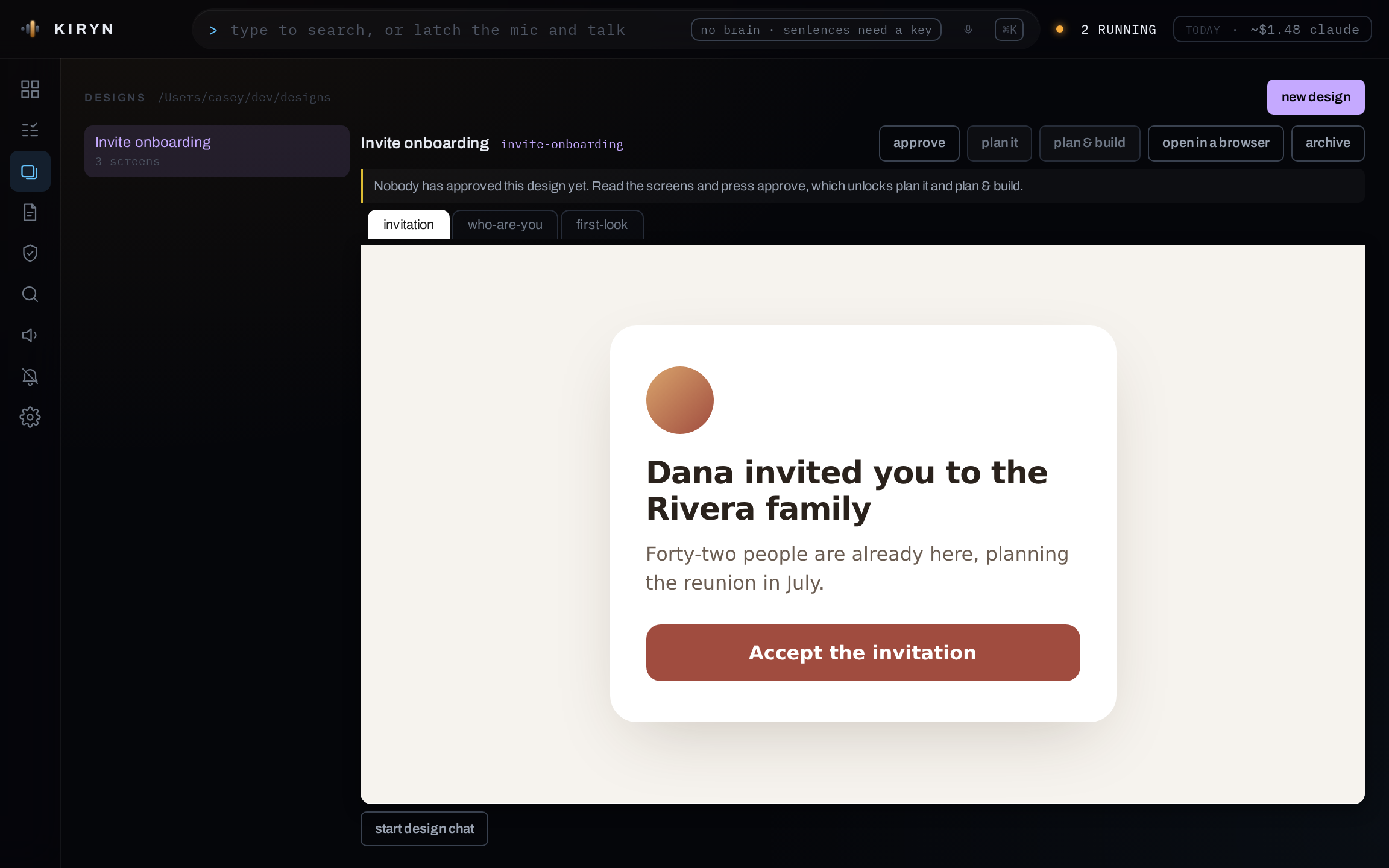
A design is a folder with a design.md that describes it and one or more HTML screens. Kiryn renders the screens live, in a sandboxed frame with no network access.
Next to the screens is a chat with an agent that can edit the design. Once you approve a design you can send it to the plan station, where a flow usually becomes an epic and each screen a ticket.
07Writing
Checking drafts
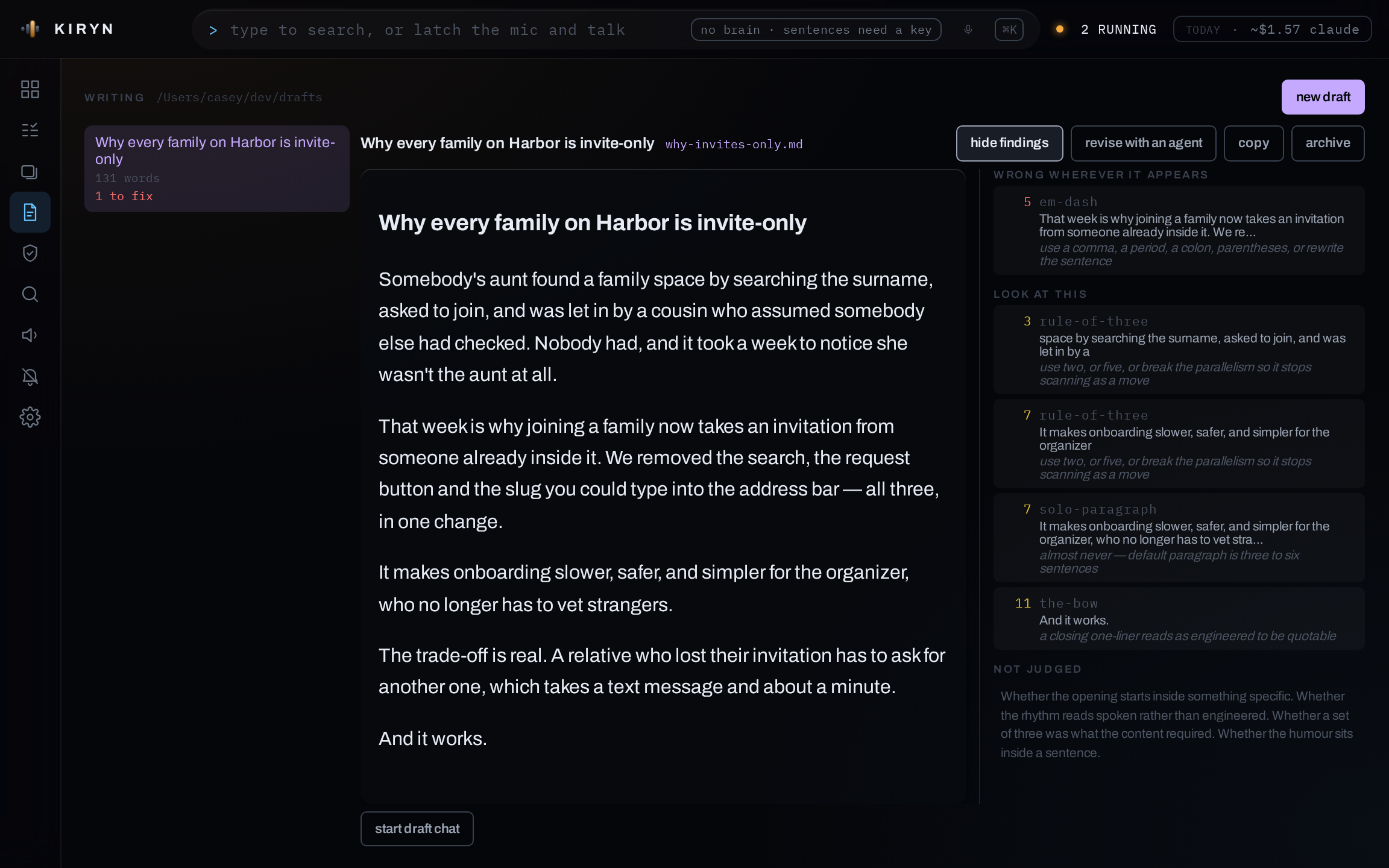
Drafts are markdown files written by an agent. Kiryn checks each one against a prose style guide and lists every problem next to the line it's on. Em dashes and banned words are marked to fix, and patterns like sets of three are marked to look at.
There's no overall score. Some things can't be checked automatically, like whether the opening works, and Kiryn lists those as questions for you to answer yourself.
08Security
Dependency security
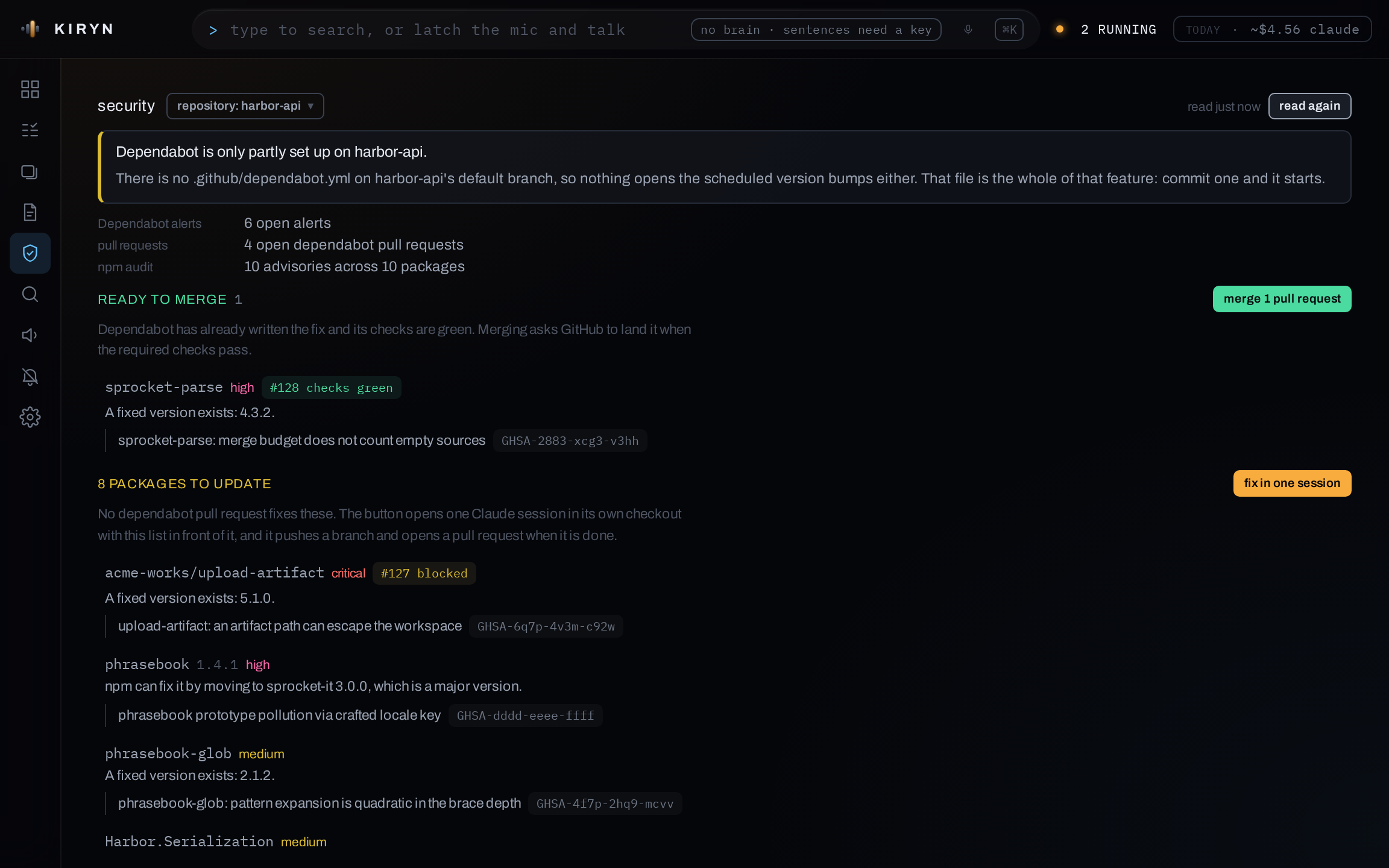
Pick a repository and Kiryn fetches its Dependabot alerts and runs npm audit on its lockfile. The results are combined into one row per package, showing the version that fixes it and whether the package ships to users or is only used in the build.
- Dependabot has three separate settings. If one is off, the screen says which, so an empty list isn't mistaken for a clean repository.
- Fixing opens a single session for all the affected packages.
- Merging only merges the Dependabot pull requests you were shown, not any that arrived since.
- Requests involving secret scanning are blocked, and anything Kiryn logs is redacted first.
09Privacy
What Kiryn reads and sends
Kiryn only listens on 127.0.0.1, and it checks the origin of every request because it can type into your sessions.
- Read, locally
- Claude Code transcripts on the machine, including sessions Kiryn didn't start. It also reads your repositories' git state and the text of the terminals it opened.
- Stored, locally
- A run log in .kiryn/. If you set up voice recognition, a voiceprint stored as 256 numbers. Audio is never saved.
- Sent, when you ask
- If you add an Anthropic Console key, sentences you speak to Kiryn are sent to Anthropic. When you check a repository's security, Kiryn asks GitHub for its alerts and runs npm audit.
- Phone access
- Off until you turn it on. It runs over your own Tailscale network: Tailscale's servers see which devices you have, the computer's ts.net name appears in public certificate logs, and the traffic itself stays encrypted. A phone sees anything only after you approve it on the computer and unlock it with Face ID or your PIN.
- Never
- Your code. Kiryn doesn't run a coding agent of its own; it starts the claude CLI under your account. It holds one credential, and a test checks that nothing else can reach it.
Get Kiryn
The Mac app is signed and notarized, and it runs on both Apple silicon and Intel Macs. The Windows app runs your sessions inside WSL. Kiryn is free and licensed under Apache 2.0.
Version 0.2.2 · released 2026-10-09 · release notes
New in 0.2.2: Faster launch on Windows.
Mac 334 MB · SHA-256 633f87d76e2e0d430e877209ca154b83a6c452adbd19d4cb1d6d1a8839b64ef2
Windows 161 MB · SHA-256 37db07333cbb044c4629b11de06a78b41c5d6a52895da4af322869dc7de6059a
Windows needs a 64-bit Intel or AMD PC (not ARM) and WSL 2, with Claude Code installed inside WSL. The installer isn't signed yet, so Windows will warn you the first time you run it. Click More info, then Run anyway.